Pro Features
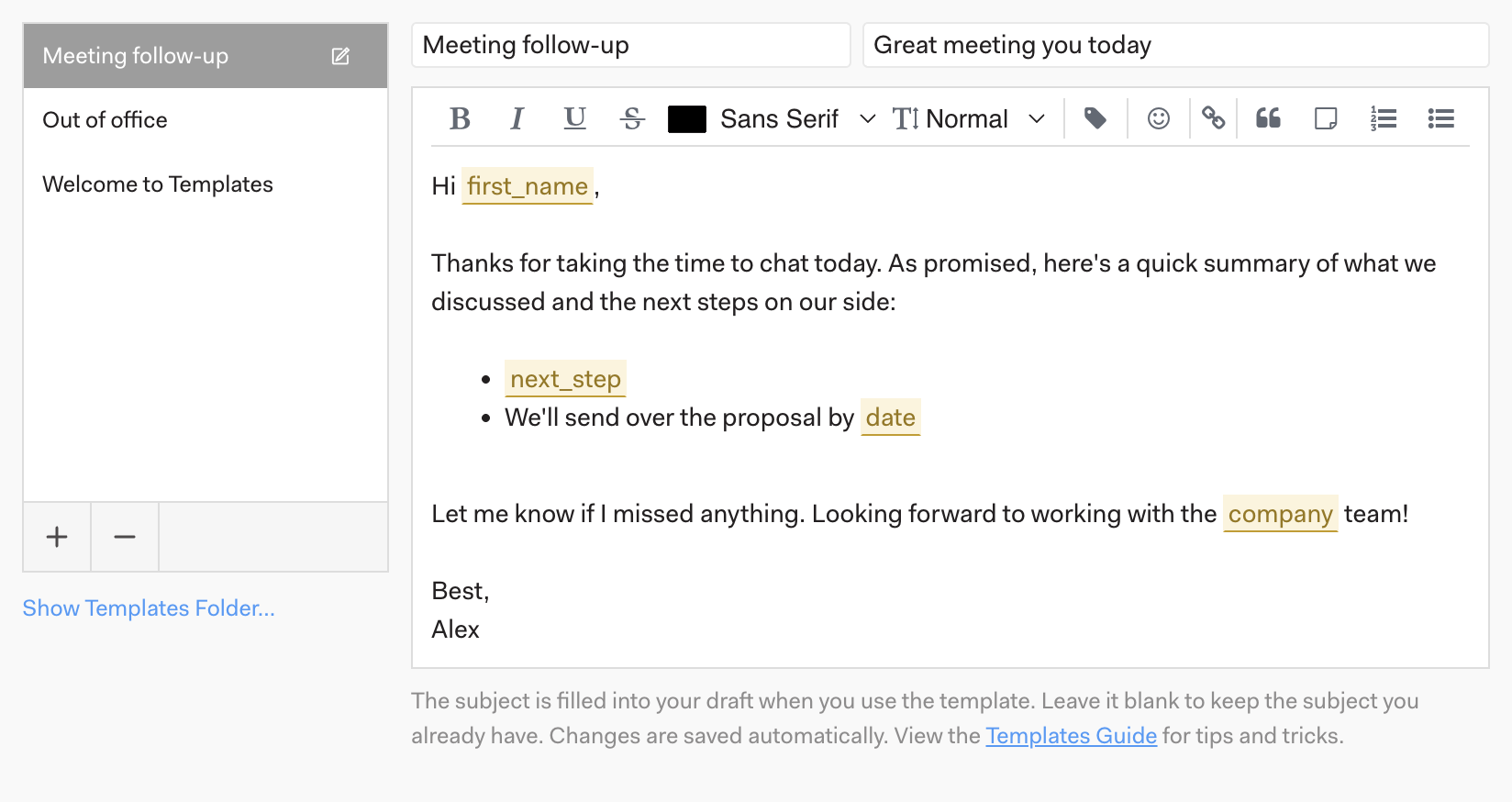
Go to Preferences > Templates to create templates you can use to save time when sending messages. A template can include a subject line as well as a body, and you can mark parts of the text as variables to fill in each time you use it.
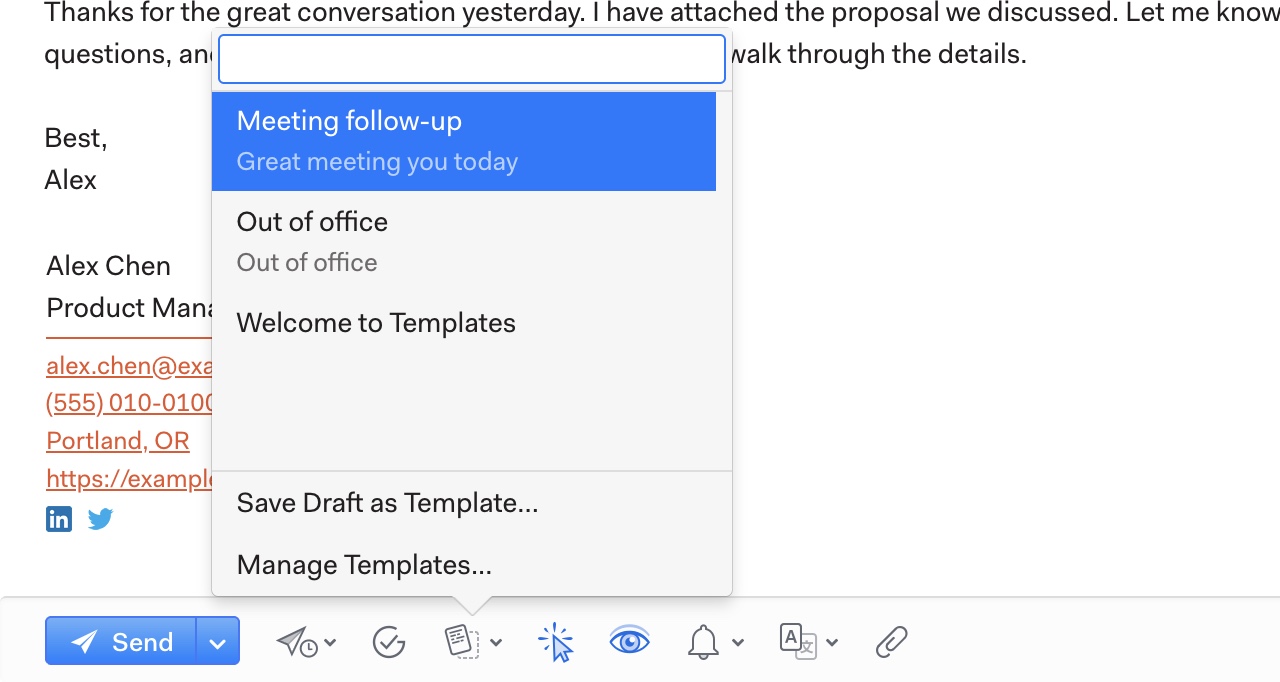
To use a saved template, open a new message and click the Quick Reply (templates) icon at the bottom of the composer. Select the template you want, then replace each highlighted variable. The same menu has Save Draft as Template…, which turns the message you’re writing into a new template, and Manage Templates….