Pro Features
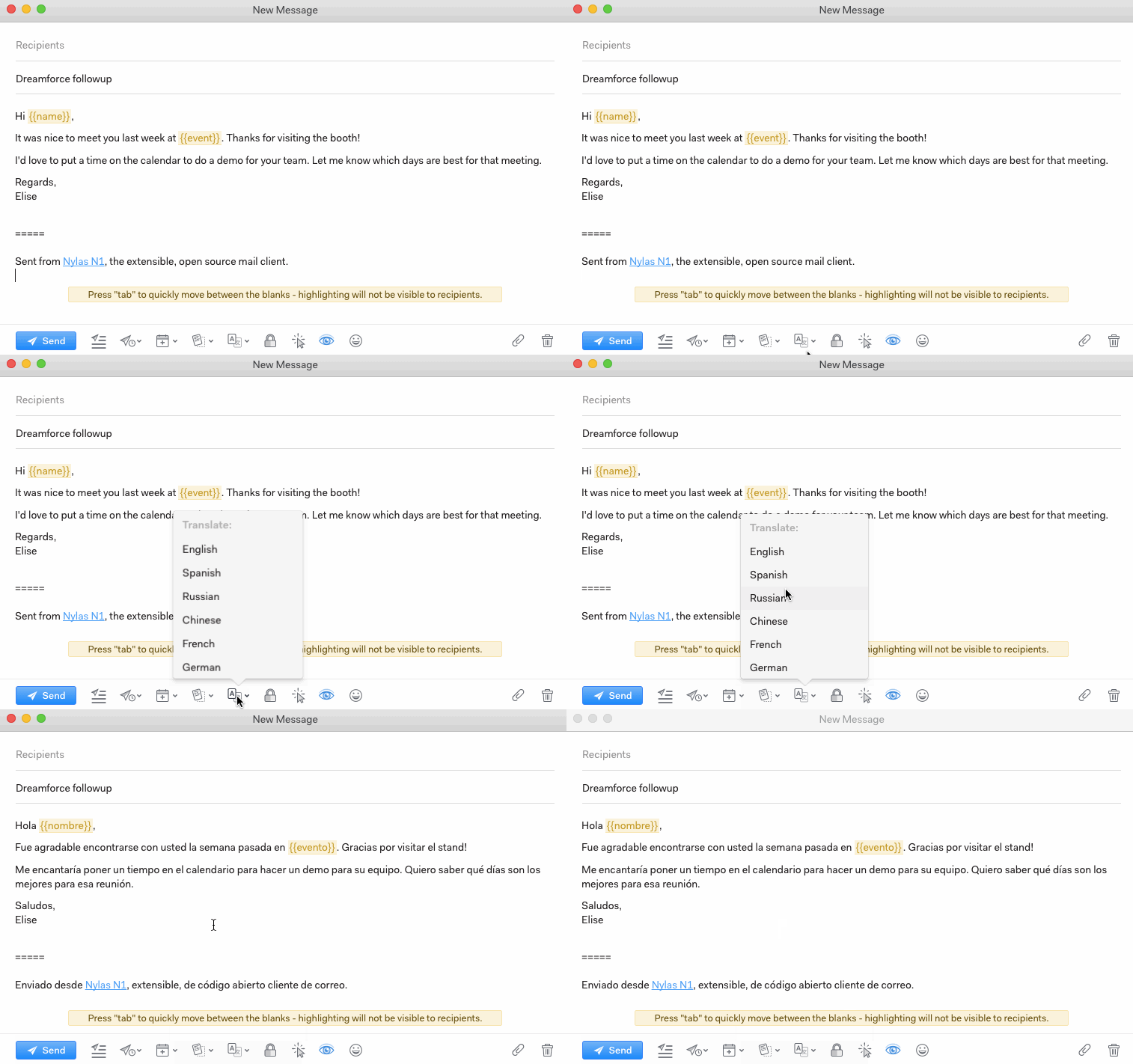
Mailspring can translate a draft into English, Spanish, Russian, Chinese, Arabic, French, German, Italian, Japanese, Portuguese, Hindi, or Korean.
To translate a message, first write your draft. Then, click the Translation icon at the bottom of the message window and choose your target language.
The translation plugin will translate the body of a single email and the signature only—not the full thread history.