 Pro Features
To set up an alias in Mailspring, go to Preferences > Accounts, choose the proper account, and click “+” at the bottom of the list of aliases. Enter the name and email address you want to send from.
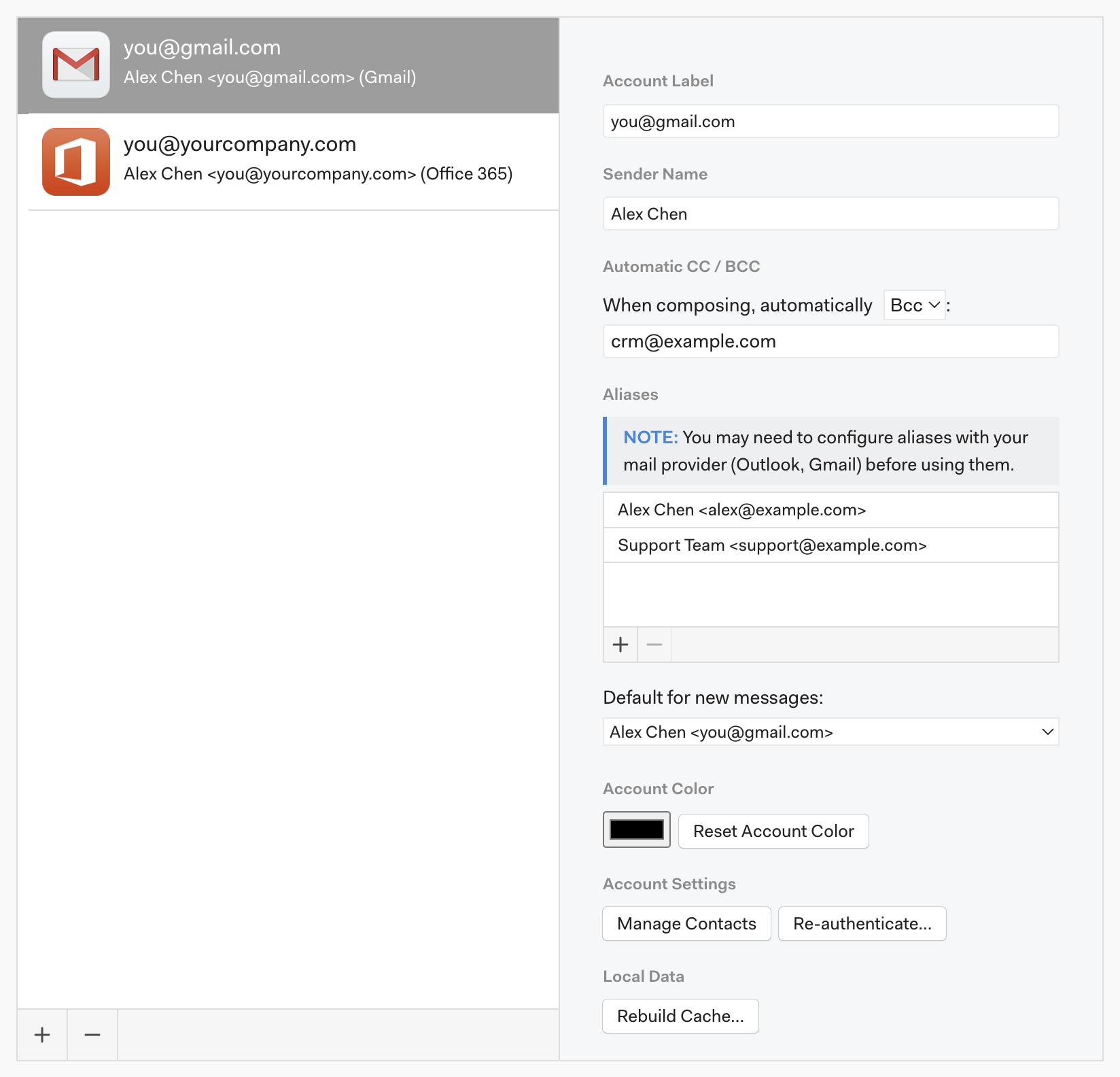
Some email services, including Outlook and Gmail, require you to set up aliases with your account before using them in an email client (like Mailspring).
Replies use the alias automatically
When you reply to a message that was sent to one of your aliases, Mailspring picks that alias as the From address for you. You can still change it with the From dropdown in the composer.
Making an alias the default
In Preferences > Accounts, select the account and use Default for new messages: under Aliases to choose which address new messages start from. This is the right setting if your provider makes you log in with one address but you send from your own domain. The Sender Name field on the same page controls the display name for the account's main address.