Give your AI assistant access to your GMail inbox
MCP (Model Context Protocol) is an open standard that lets AI assistants connect to
the apps and data you already use. When an app exposes an "MCP server", assistants like Claude and
ChatGPT can call it to look things up and take actions on your behalf.
gmail.com (Google Mail) doesn't offer an MCP server of its own, but it supports IMAP, which means you can use
an email program like Mailspring to sync your GMail mailbox to your
computer. Mailspring includes a built-in MCP server that runs locally, so any MCP-compatible
assistant on your machine can work with your GMail email.
Follow these steps to connect your GMail account to your AI assistant:
Step 1: Download Mailspring
Mailspring is a free desktop email application with
a built-in MCP server for AI assistants. It works on Mac, Linux, and Windows.
Download Mailspring Free
Step 2: Sign in to your GMail account
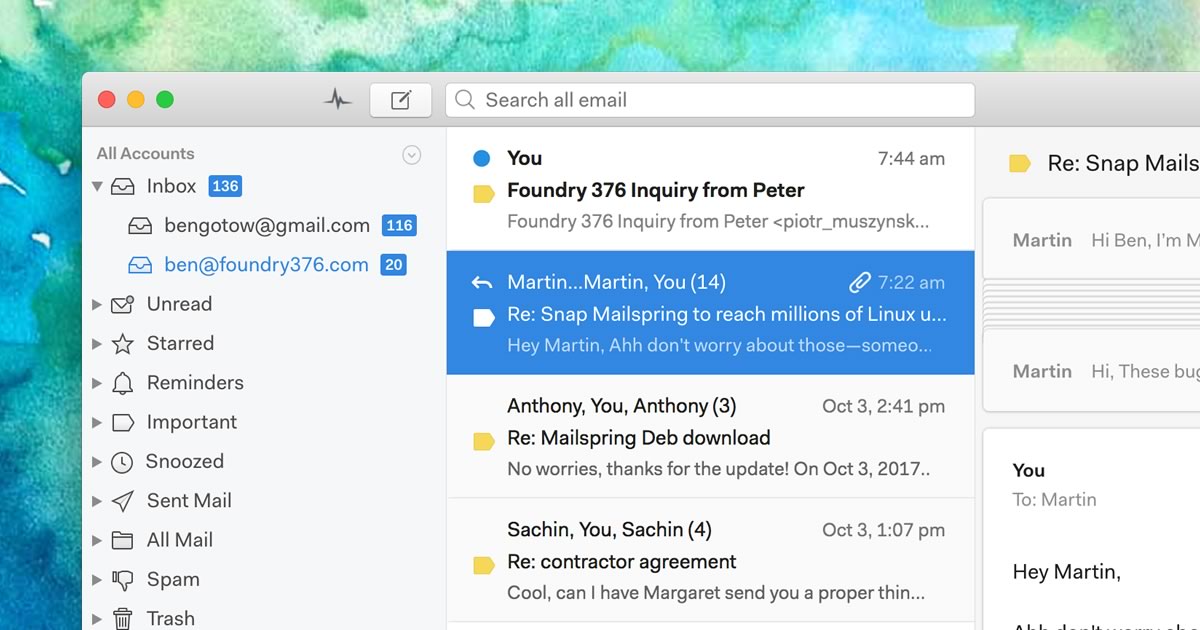
Run Mailspring and choose Gmail or G Suite on the email setup screen, then
sign in to your GMail account in the browser window that appears. Mailspring
also supports the IMAP / SMTP settings
for GMail if you prefer.
Mailspring is a full email client and syncs your gmail.com (Google Mail) email to your computer,
which is what makes it available to your AI assistant. Your email should be displayed in a few minutes.
Step 3: Enable the MCP server
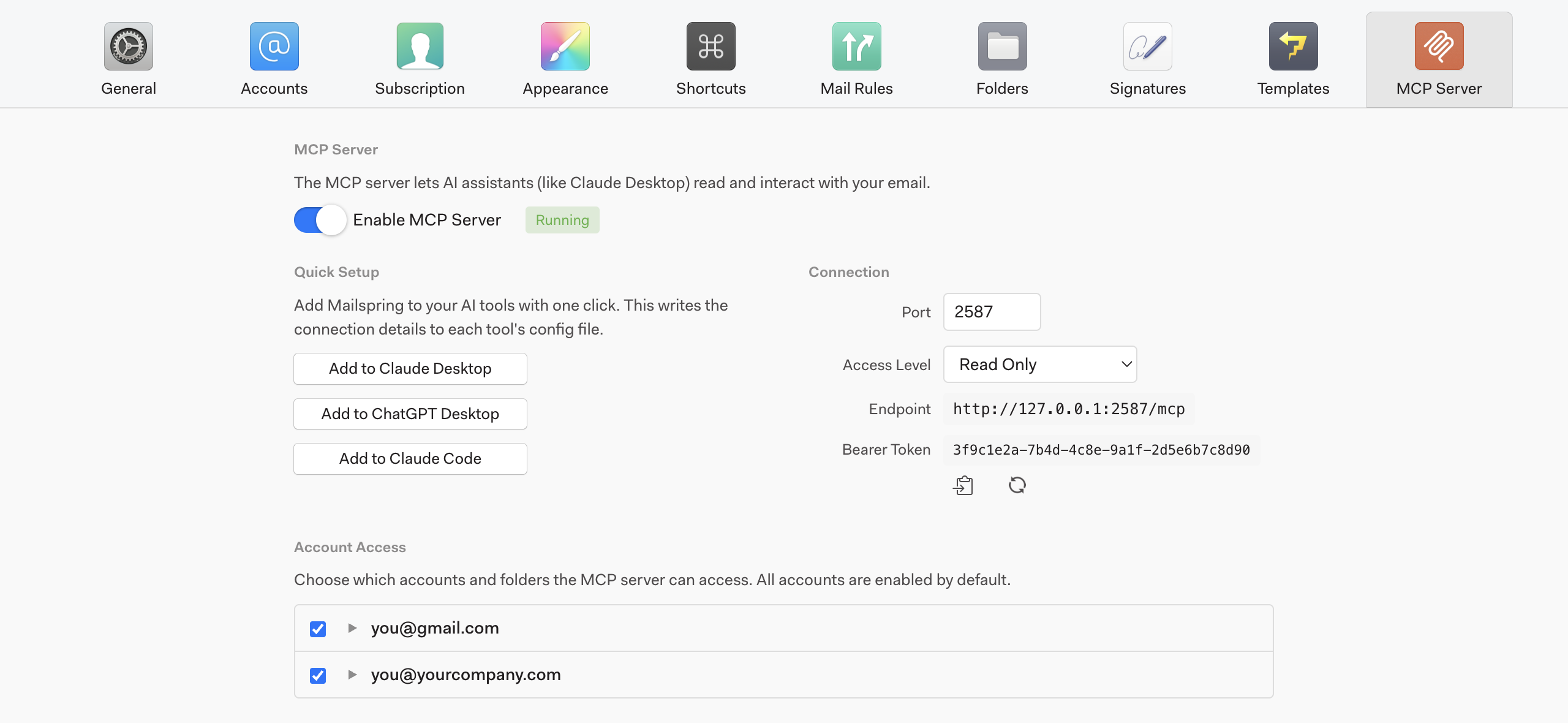
Open Preferences in Mailspring and click the MCP Server tab.
Flip the Enable MCP Server switch on — you'll see a green "Running" badge
when it's ready. The server is off by default and only listens on your own computer
(127.0.0.1), so nothing is exposed to your network or the internet.
From this screen you can also choose an Access Level that controls what your
assistant is allowed to do:
- Read Only (default) — search and read mail, but never change anything
- Read & Write — also create drafts, archive, star, label and move threads
- Read, Write & Send — also send drafts and schedule messages to send later
Under Account Access, you can limit which accounts and folders are visible to the
assistant, so it can see your GMail inbox but not, say, a personal account or a
confidential folder.
Step 4: Add Mailspring to your AI assistant
The Quick Setup buttons write the connection details into each app's config file
for you. Click the one for the assistant you use — that's all you need to do!
Restart the assistant and start a new chat, and Mailspring will appear as a connected tool.
Claude Desktop
Registers Mailspring in Claude Desktop's config. No Node.js or extra installs needed.
ChatGPT Desktop
Adds Mailspring to the ChatGPT desktop app so it can search and work with your mail.
Claude Code
Runs claude mcp add so Claude Code can work with your email from the terminal.
Using something else, like Cursor, VS Code or another MCP-compatible tool? Mailspring's
server uses the standard Streamable HTTP transport, so any MCP client can connect to it. Copy the
Endpoint and Bearer Token shown in the Connection panel into your
client's MCP settings. For most clients that means a JSON entry like this:
{
  "mcpServers": {
    "mailspring": {
      "url": "http://127.0.0.1:2587/mcp",
      "headers": {
        "Authorization": "Bearer <your token from the MCP Server tab>"
      }
    }
  }
}
Step 5: Try it out
Open a new chat in your assistant and ask it about your GMail email. Try prompts like:
- "Read the threads in my inbox using Mailspring — what should I prioritize? Draft a reply to the most important message."
- "Find the invoice PDF that GMail sent me last month and tell me the total."
- "Summarize everything from my accountant this week and archive the threads I don't need to act on."
- "Which of the emails I sent this month have been opened? Which links got the most clicks?"
Every call the assistant makes is recorded in the Activity Log at the bottom of the
MCP Server tab, so you can always see exactly what it looked at and what it changed.
What can your assistant do with GMail email?
Mailspring's MCP server exposes a focused set of tools. The Access Level you choose
in Step 3 determines which groups are available:
Your GMail email stays on your computer
Unlike cloud email integrations, Mailspring never uploads your GMail mailbox to a
third-party service to make it available to AI. The MCP server runs inside the Mailspring app on
your machine, listens only on localhost, and requires a secret bearer token that you
can regenerate at any time. Combined with the access level, per-account and per-folder controls,
and the activity log, you stay in charge of what your assistant can see and do.
 Pro Features